
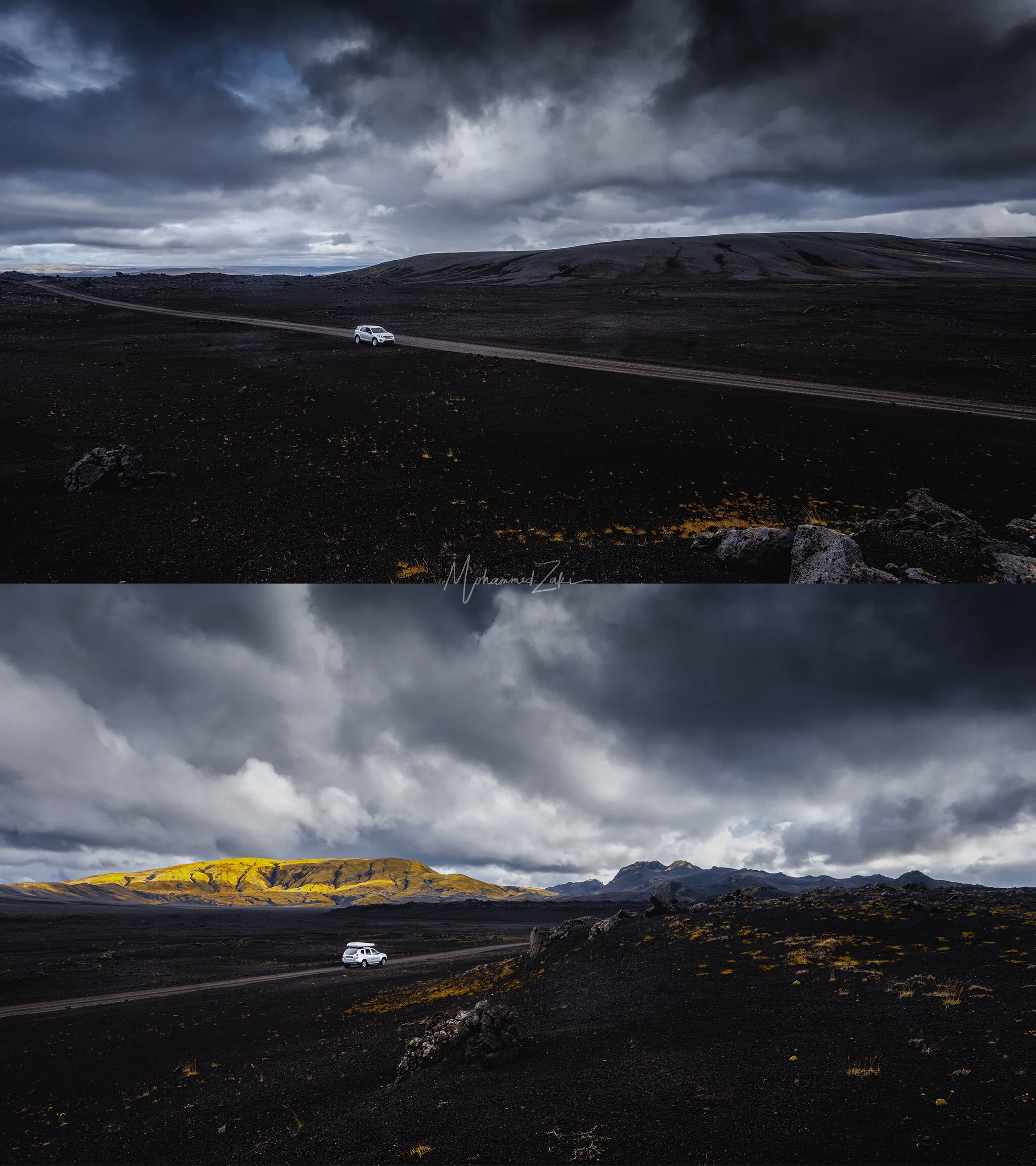
This is a demonstration of how before and after images process using Adobe Lightroom & Nik Softwares primarily Color Efex that comes with the Nik bundle of softwares.
I used My old Canon 5D mark 2, and clearly in the RAW shots their highlight was blown away specially in the skies, but magically considering using an old version of the almighty 5D series, i managed to pull off the highlights and crush the shadows with no significant image pixelation.
Nether to say, i used the noise reduction softwares included in Nik softwares to remove noise after some how a heavy editing.
Tips:
*Down bellow you can find screen shot of the Calibration Slider that you can find at the lower end of the Develop Module, an exact image of the same look i am presenting here, try playing with primary colors Hue and Saturation to achieve this artistic approach.
*HSL Slider can also drastically change how the image looks, you can also add a luminance to each color which can be used to make something less distraction or add more attention to your subject.
What i came to conclude here in this project that the more you understand what you want when you approach an edit like this, the more likely you will be able to smoothly process the images with the vision in mind, add to that the understanding of the tools you use and the functions they serve.

After
This is after using Adobe Lightroom & NIK Softwares
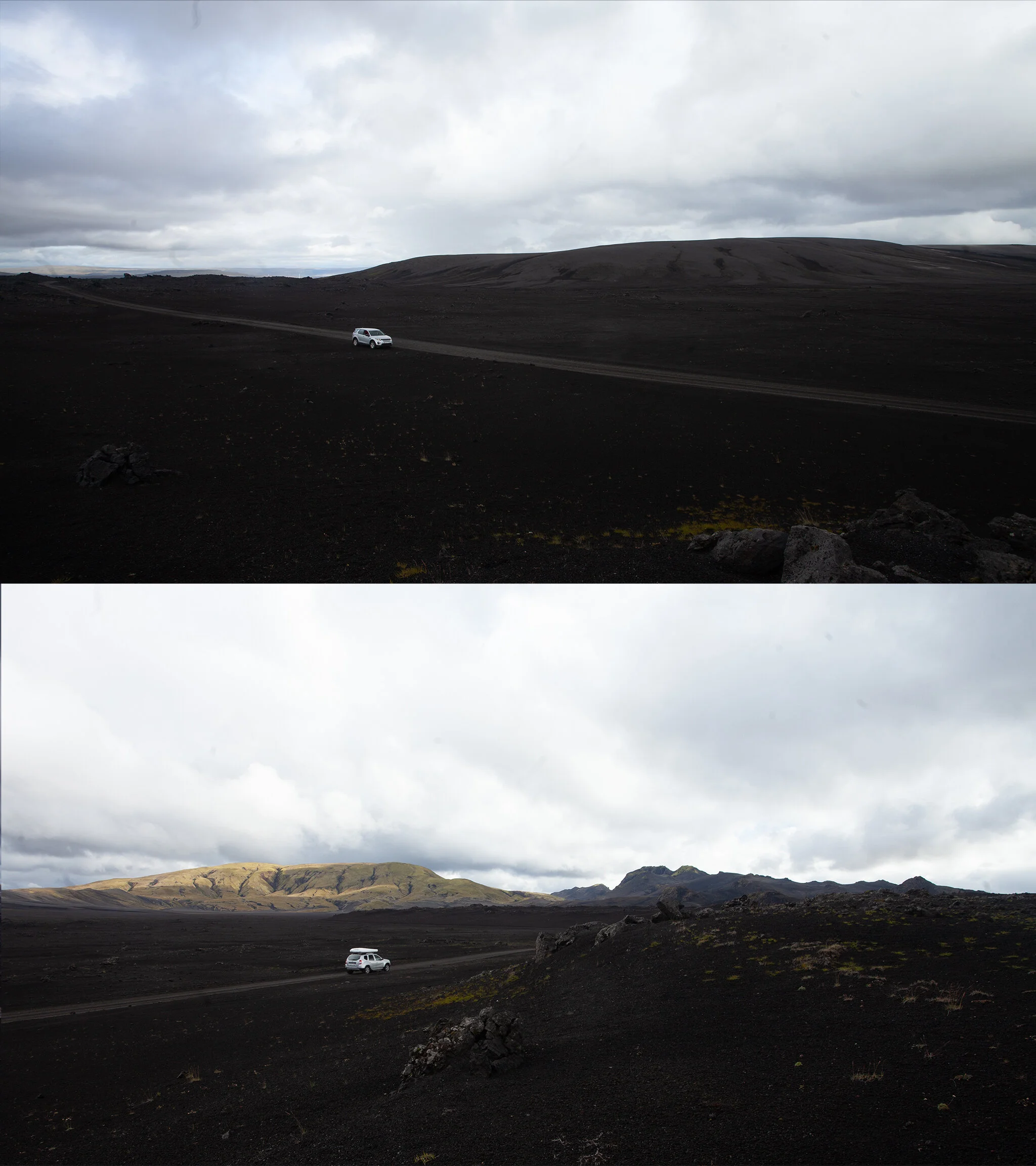
Before..
This is how images looked in RAW format
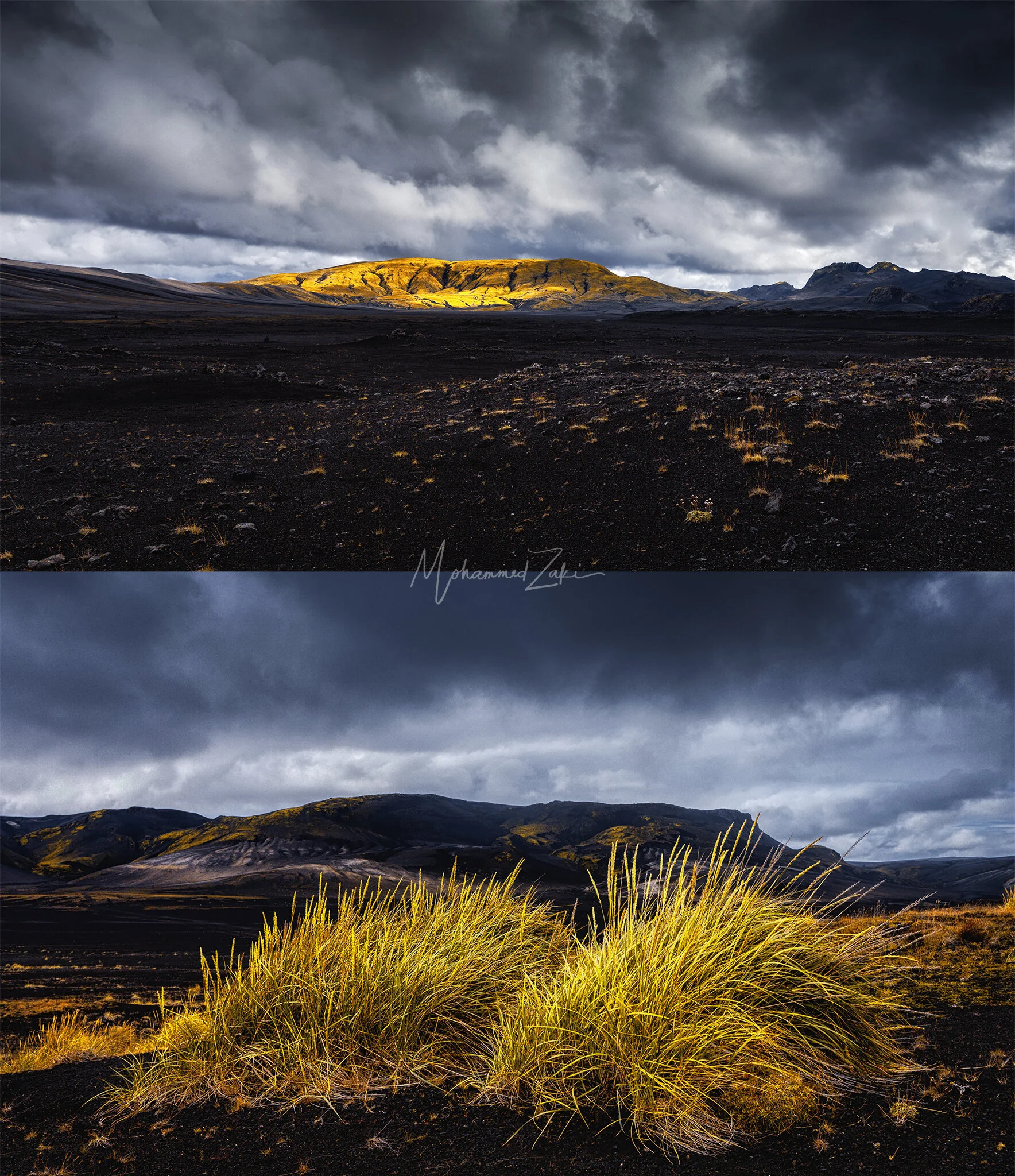
After
Another images from Iceland
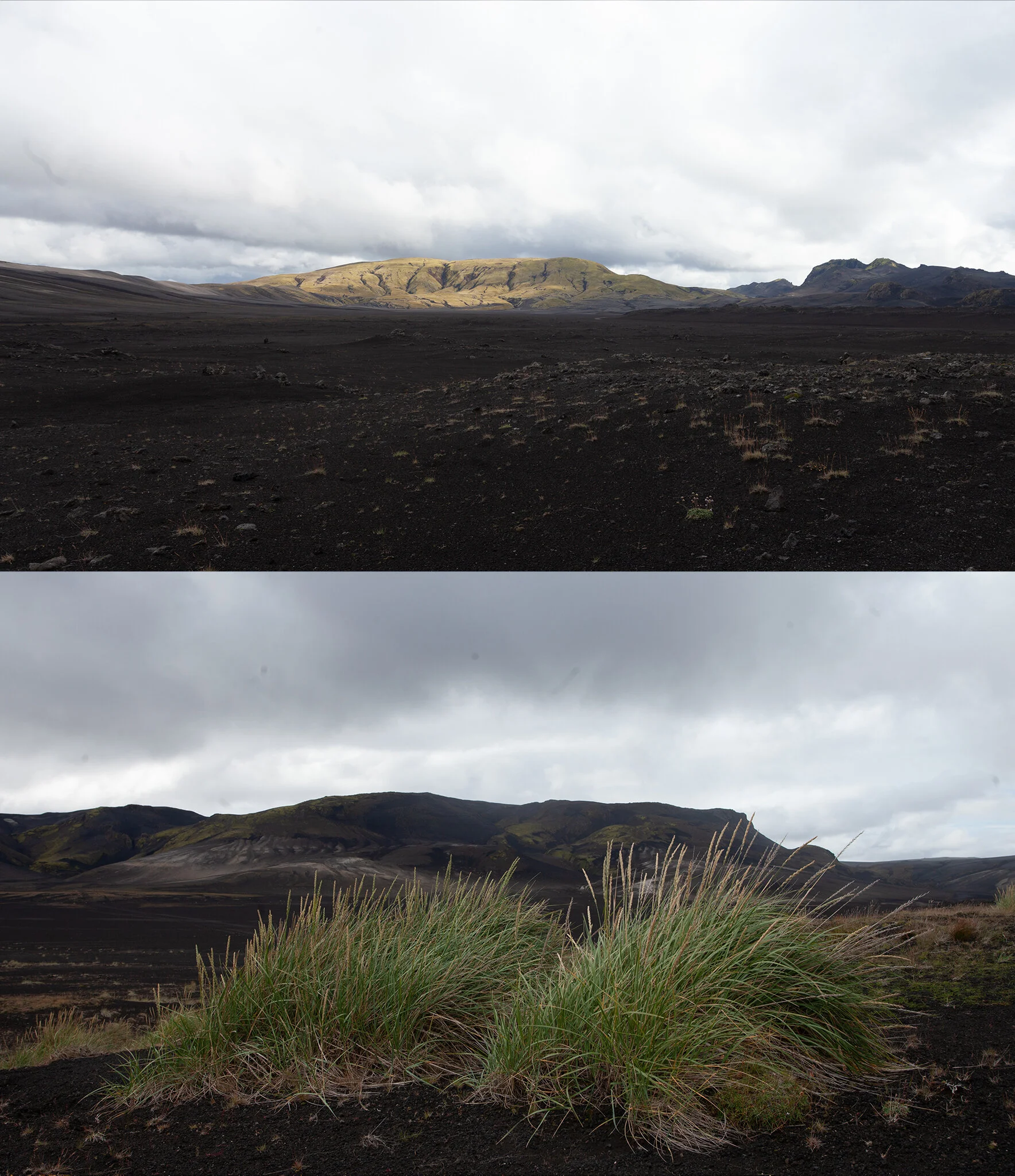
Before
The green & the yellows have a great contrast with the black sand.
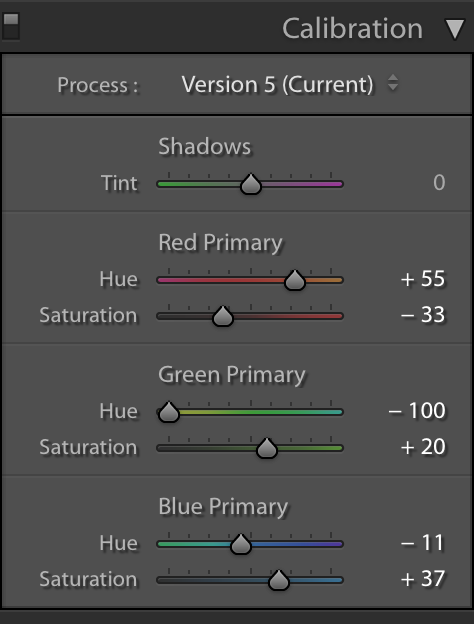
I would say here where the Magic happens, try playing with primary colors Hue and Saturation to achieve this artistic approach.
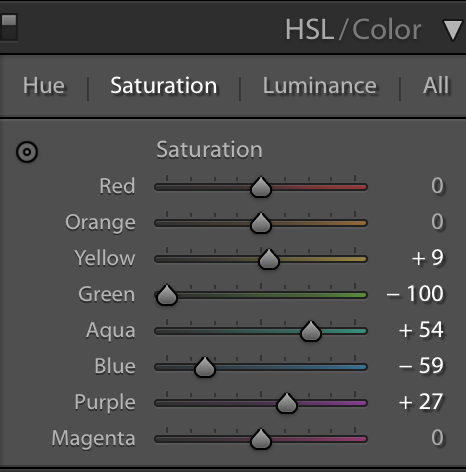
HSL Sliders in Lightroom